


Docs navigation
Picture in Picture
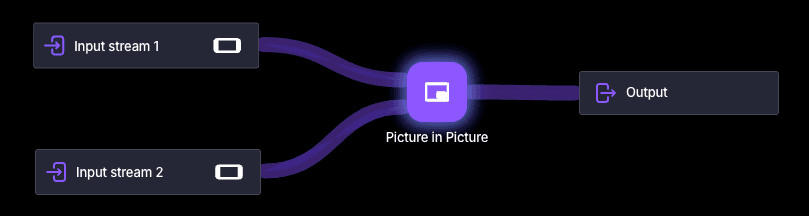
The Picture in Picture element combines two inputs into a single output by overlaying a smaller video on top of a main source, or by placing videos side by side. Use it for facecams, secondary angles from a separate device, a co-stream from a friend, or advertisement videos alongside your ongoing stream.
Settings
Size
Adjust the input's size as a percentage of the canvas.
Position
Change the input's position. The top-left corner of the canvas is 0,0.
Crop
Crop the incoming video from the left, right, top, and bottom. Cropping is applied before scaling.
Visibility
Control the visibility of the input.
Mute audio
Mute the input's audio so only the main source audio is heard.
Input delay
Synchronize the input's timing with other sources. Value is in milliseconds (e.g. 1000 = 1 second). Allowed values: 0–4000. Note that inputs may drift out of sync if network issues cause buffering.
 Join Streamrun Discord