


Docs navigation
Switch Device While Streaming
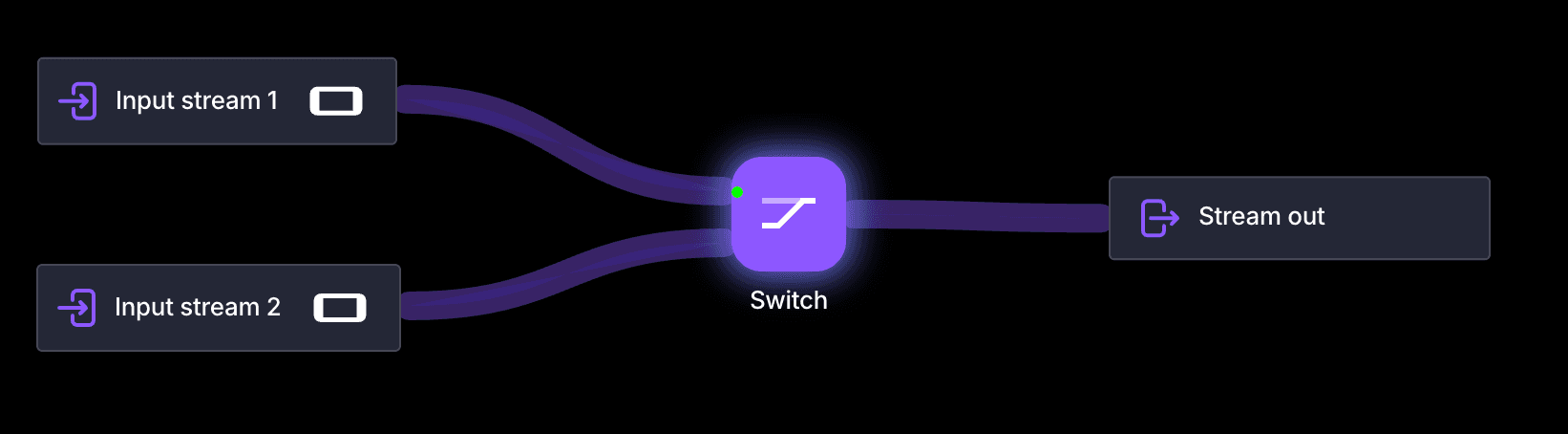
The Switch element lets you change your active streaming device in real time without interrupting your live broadcast. Stream from multiple inputs and select which one is live using the Streamrun Editor or Remote Control.
How it works
Stream switch enables seamless transitions between devices while keeping your stream live across all destinations. It's designed for creators who want to stay mobile or switch between cameras, networks, or setups without restarting their stream. Switching happens instantly in the cloud, so your viewers see a continuous, uninterrupted stream.
Setup
Add the Switch element to your configuration and connect up to four inputs. Inputs can be:
Mobile apps
Phones using any RTMP, SRT, or SRTLA-compatible app, such as Moblin on iPhone or IRL Pro on Android.
Action cameras
Cameras like GoPro or DJI that support RTMP or SRT output.
Desktop software
Computers running OBS, vMix, or other streaming software.
 Join Streamrun Discord